
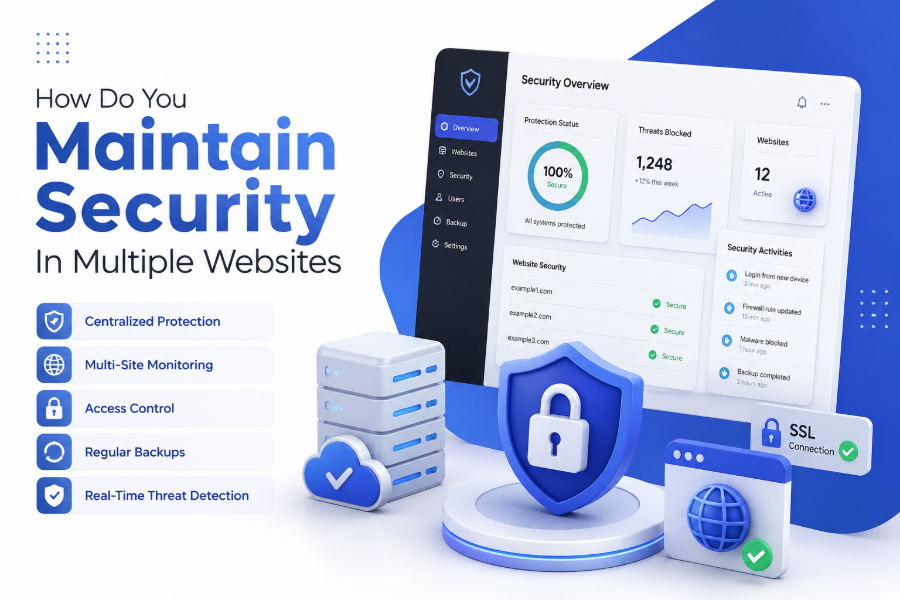
Managing several websites at once creates a complex security challenge. Each site has its own vulnerabilities, updates, and access points. How do you maintain security in multiple websites is essential for protecting data, users, and brand reputation across all platforms.
This guide explains structured, scalable, and modern security practices that help you manage multiple websites safely. It focuses on real-world strategies used by developers, agencies, and businesses handling large digital ecosystems.
Multi Website Security Management
Managing security across multiple websites requires a unified approach instead of treating each site separately. Every website becomes part of a larger ecosystem where one vulnerability can affect all connected properties.
Security management includes monitoring, updating, and protecting each site using consistent rules. Without coordination, risks increase significantly, especially when using shared hosting or common admin credentials.
A structured approach ensures that all websites follow the same baseline security standards, reducing inconsistencies and preventing avoidable breaches.
Centralized Authentication and Identity Management
Centralized authentication is one of the most effective strategies when learning how do you maintain security in multiple websites. It allows administrators to control access from a single system instead of managing multiple logins separately.
Identity management systems help reduce human error and improve security consistency. They also make it easier to revoke access instantly when needed.
Using single sign-on systems improves efficiency while reducing password fatigue among teams.
Key benefits of centralized authentication:
-
Single login system for multiple websites
-
Faster user access management and control
-
Reduced risk of weak or reused passwords
-
Easier permission updates across platforms
-
Improved audit and tracking capabilities
Strong Password Policies and Credential Hygiene
Weak passwords remain one of the biggest security risks across multiple websites. Strong password policies ensure that every account connected to your web ecosystem is properly protected.
Credential hygiene involves regularly updating passwords, avoiding reuse, and using secure password managers. This reduces the chances of unauthorized access.
Automated password rotation systems can further enhance security for teams managing large-scale websites.
A consistent policy across all platforms ensures that no single website becomes an entry point for attackers.
Secure Hosting and Infrastructure Configuration
Hosting infrastructure plays a critical role in website security. Poorly configured servers can expose multiple websites to threats even if individual applications are secure.
Using isolated hosting environments for each website reduces cross-site risks. Cloud-based platforms also provide better scalability and security control.
Proper server configuration includes firewall setup, access restrictions, and regular system updates.
Essential hosting security practices:
-
Use isolated hosting environments per website
-
Enable server-level firewalls and filtering
-
Restrict SSH and admin access
-
Regularly update server software
-
Monitor server logs for unusual activity
SSL and HTTPS Implementation Across All Websites
SSL certificates ensure encrypted communication between users and websites. When managing multiple websites, consistent HTTPS implementation is essential for maintaining trust and security.
Without SSL, sensitive data such as login credentials can be exposed to interception. Modern browsers also mark non-secure sites as unsafe.
Using automated SSL management tools helps ensure all websites remain protected without manual intervention.
Consistency in SSL deployment improves both security and SEO performance across all domains.
CMS Security and Regular Software Updates
Content Management Systems (CMS) like WordPress are widely used but often targeted by attackers due to plugin vulnerabilities.
Keeping all CMS installations updated is a critical part of how do you maintain security in multiple websites. Updates often include patches for known vulnerabilities.
Outdated plugins, themes, and core systems are common entry points for cyber threats.
Regular maintenance schedules help ensure all websites stay protected against emerging risks.
Web Application Firewalls and Threat Protection
Web Application Firewalls (WAF) act as a protective layer between your websites and incoming traffic. They filter malicious requests and block suspicious behavior before it reaches your system.
When managing multiple websites, a centralized WAF solution simplifies protection and reduces management complexity.
These systems help prevent SQL injection, cross-site scripting, and bot attacks.
They also provide real-time monitoring and automated threat response capabilities.
API Security and External Integrations
Many modern websites rely on APIs and third-party integrations. While these enhance functionality, they also introduce additional security risks.
Each API connection must be properly authenticated and monitored. Weak API security can expose sensitive data across multiple platforms.
Using secure tokens, encryption, and strict access controls ensures safe communication between systems.
Regular auditing of integrations helps identify unused or risky connections.
Role-Based Access Control for Teams
When multiple websites are managed by teams, access control becomes critical. Role-based access ensures that each user only has permissions relevant to their responsibilities.
This reduces accidental changes and limits damage in case of compromised accounts.
Admins can assign roles such as editor, developer, or viewer based on task requirements.
Proper access segmentation is a key part of scalable security management.
Monitoring and Logging Systems
Continuous monitoring is essential for identifying threats early. Logging systems track all activity across websites, including login attempts, file changes, and server requests.
Centralized monitoring tools allow administrators to detect anomalies quickly across multiple websites.
Real-time alerts help respond to potential attacks before they escalate.
Consistent monitoring improves visibility and strengthens overall security posture.
Backup and Disaster Recovery Planning
Backups are essential when managing multiple websites because they provide recovery options in case of attacks or failures.
Automated backup systems ensure that data is regularly saved without manual effort. These backups should be stored in secure, off-site locations.
Disaster recovery plans define how quickly systems can be restored after an incident.
Without backups, even minor issues can result in major data loss.
Vulnerability Scanning and Penetration Testing
Regular vulnerability scanning helps identify weaknesses before attackers can exploit them. Automated tools can scan multiple websites simultaneously.
Penetration testing simulates real-world attacks to evaluate system resilience. This helps identify hidden security gaps.
Testing should be performed regularly, especially after updates or system changes.
Proactive testing strengthens overall security across all managed websites.
Security Automation and DevSecOps Practices
Automation is essential when handling security across multiple websites. DevSecOps integrates security into development workflows from the beginning.
Automated tools can handle updates, scans, and monitoring without manual intervention.
This reduces human error and ensures consistent protection across all platforms.
Automation also improves scalability for growing digital infrastructures.
Compliance and Data Privacy Management
Websites often handle user data that must comply with privacy regulations. Managing multiple websites increases the complexity of compliance requirements.
Ensuring compliance includes data encryption, consent management, and proper storage policies.
Failure to comply can lead to legal and financial consequences.
A standardized compliance framework helps maintain consistency across all websites.
Conclusion
From authentication and hosting to monitoring and compliance, every layer contributes to overall protection. How do you maintain security in multiple websites requires a structured and layered approach. A consistent security strategy ensures that all websites remain safe, stable, and resilient against evolving digital threats.
FAQ
Why is multi website security more complex?
Managing multiple websites increases complexity because each site has separate vulnerabilities, users, and systems that must be secured consistently.
What is the most important security step?
Centralized authentication and regular updates are among the most important steps for maintaining consistent protection.
Can one breach affect all websites?
Yes, if websites share hosting or credentials, one breach can potentially impact multiple platforms.
How often should security checks be done?
Security checks should be performed regularly, ideally on a weekly or monthly basis depending on website activity.
What tools help manage multiple website security?
Tools like firewalls, monitoring systems, backup automation, and CMS security plugins help manage security effectively.
0 Comments